We hope to use these posts to help any aspiring bands like ourselves maybe get a little bit further in their recording. This is just what we're using. I'm sure there are other options out there but here's what works for us at the moment. Since our initial purchases from the first post, we realized we had to make some investments if we wanted to get decent home recordings. We also made a few purchases that we wanted to make as opposed to had to. : )
Here's what we've added:
Let's start with the "wants" vs. "needs" (arguably)...

Mike, our drummer decided he would upgrade from the lime green Ludwig set he was on to a new PDP X7 series in red/black. This is a very nice improvement. The low end packs a lot more punch and the extra toms give some more versatility. In all, the set sounds a lot better.

Next up was Aaron on Bass with a new Fender Bassman TV 10 150w 1x10" Bass Amp. Compared to the Fender guitar amp that was being used, this is a huge improvement. Despite going from 2x12" to 1x10" this packs a much bigger punch. The tube amp in here gives it a rich tone as well. This amp also has an XLR out which helps with the recording side of things (more below). This is hard to find at the moment but you can probably find one used.
And last but certainly not least...

Seth, lead singer and guitarist, bought a new baby. A Gibson Les Paul Studio Deluxe in vintage sunburst. I think that's enough to say about that. A real quality guitar with excellent sound.
On to the recording side of things and the "needs".
We presently have 3 members using the studio so we figured out that we could each spend about $200 to move us along to where we needed to be:
Purchase 1: Studio Monitors

We went with a pair of Behringer Truth B1030a Active 2-Way studio reference monitors. We found that what we were hearing during playback in the studio and what we were hearing at home or on another device was vastly different. This made leveling tracks very difficult to get right. The studio monitors throw out a much truer sound to help with leveling. The 5.25" Kevlar woofers on these hold up really well. These are easy to set up on any device with a variety of jacks available. If you like to crank it up like we do however, you may find the little red overload light on frequently so you might want a bigger set.
Purchase 2: Audio Interface
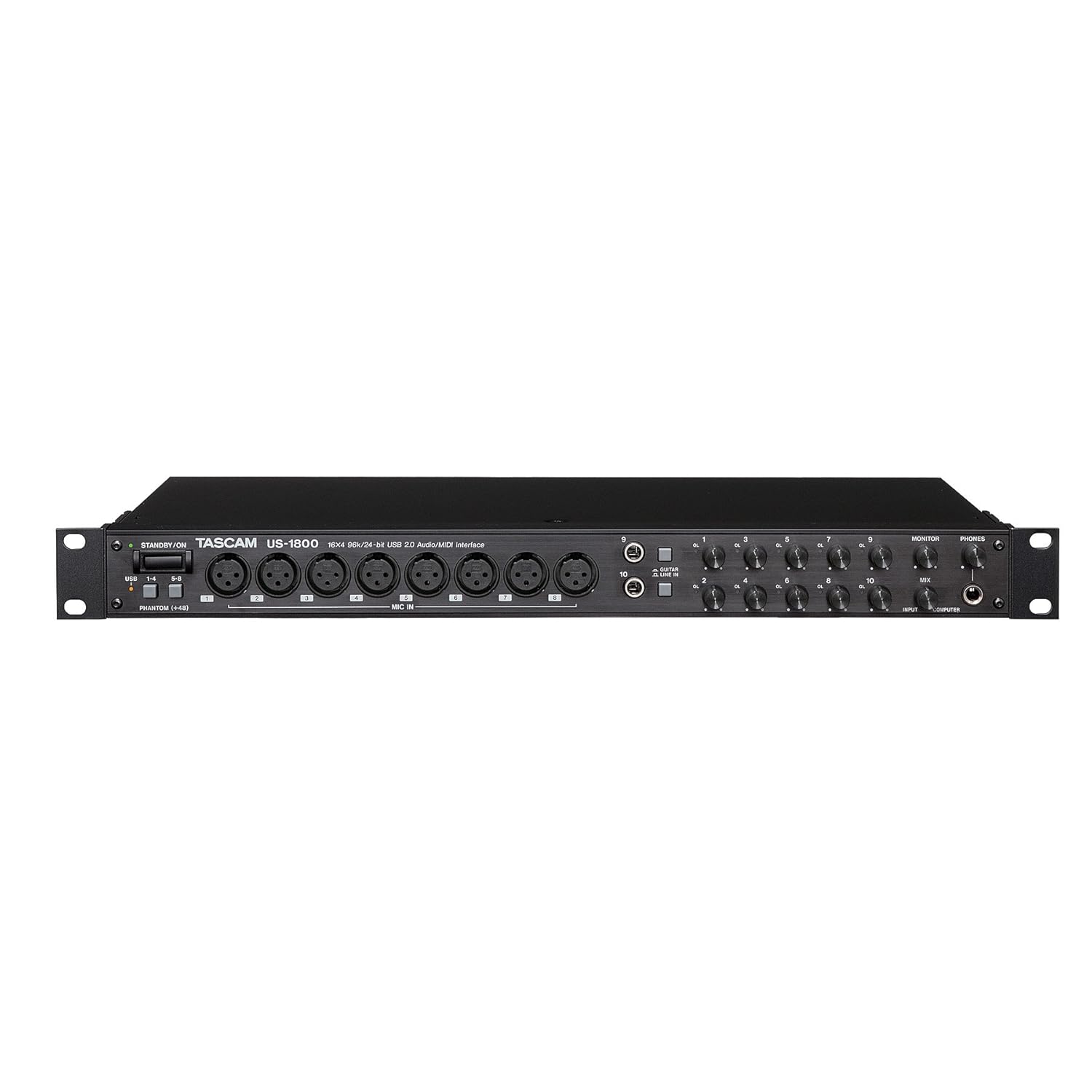
This is probably the most important of the 3 "need" items. We were finding that with our 8 channel mixer, we were quickly running out of inputs. On top of that, with the mixer setup we couldn't individually level tracks in post. After some research, we found the TASCAM US-1800. This 16-in / 4-out USB interface has 8 XLR and 8 1/4" inputs as well as MIDI, Phones, digital and balanced line outs. Most importantly this interface features a USB interface with compatibility to Cubase (LE5 version included) or ProTools recording software. The Cubase software included does have a bit of a learning curve and some installation hiccups (There may only be a 30 day trial version included as the LE5 goes, or it could just be us. There's some tricky USB dongle emulation nonsense DRM with this that was tricky to work out. We upgraded to Cubase 5 full and avoided the problem.). Once we got the learning curve down however, Cubase is a versatile and useful tool that combined with the TASCAM, allows 16 channel simultaneous recording with the ability to adjust each channel individually in post or on the fly. 48 channels total are allowed in Cubase so that should meet most band's needs.

Purchase 3: Drum Mics
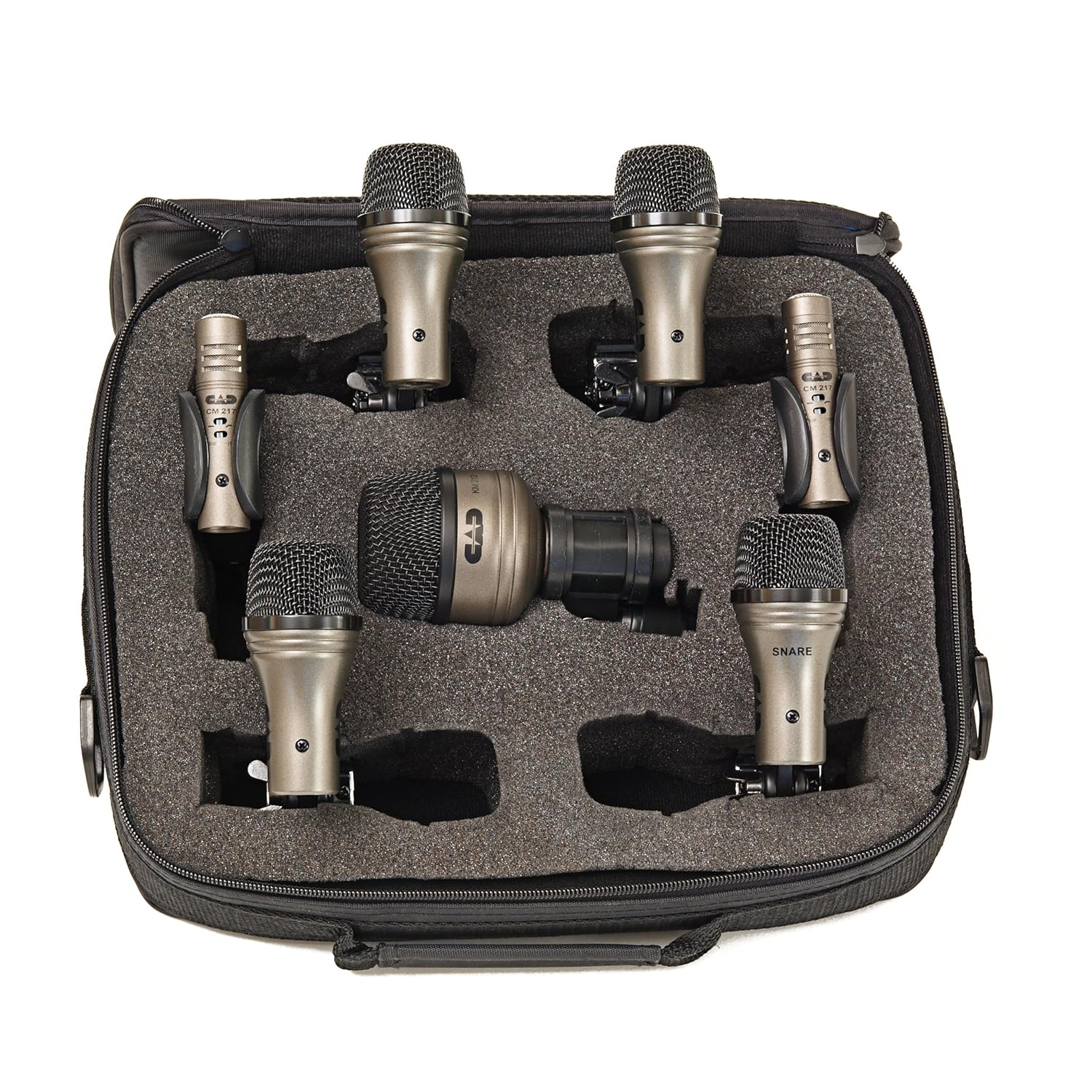
On our initial recording, we were using 1 mic to get all of the drums. Needless to say, this left a lot to be desired. This typically left us with a lot of high end (read: cymbals) and not much else. We picked up 10 CAD Drum Mics. This also required us to purchase a bulk pack of XLR cables on ebay. We can adjust the levels on each drum now and get the audio just right.
So here's the setup:

We have 5 XLR inputs on the TASCAM dedicated to the Drums: Snare, Kick, Toms 1&2, Toms 3&4, and Overhead.

We played around a lot with mic placement to try and figure out how to get the best sound from each component and this was the setup that worked best for us without using all of the XLR ports.

XLR 6 is the Bass, 7&8 are vocals, and input #9 is 1/4" for guitar. Input #10 can be used for the second guitar when we have it. There are also the 6 additional 1/4" balanced inputs in the back. We use 2 of the 1/4" outputs to run into the mixer and out to headphones and our studio monitors.
And that's basically the setup. We record master tracks using all of the inputs simultaneously then go back and re-record anything we want separately (typically vocals to get rid of the background). We tried laying down tracks individually as with the mixer but for timing, it's much easier to go all at once. To record over, we turn off the monitors and use headphones for playback for whoever is re-recording. With Cubase, we set up our input channels and EQ, reverb etc.. for each instrument and saved a base template that we can use to record whatever. You can monitor any channels you want live while recording and we usually monitor vocals as it helps everyone stay on track and on pitch. If anyone is curious, we're using an AMD A8 Quad Core Windows 7 Laptop with 8GB of RAM. You could probably get away with any fairly recent computer with a decent amount of RAM.
2 major tips:
- Cable management: make sure you use cable ties and wraps (Velcro is preferred) to keep your cables neat and organized. We use a bit of tape and a sharpie to label all of our cable ends as well. This makes sure if you need to move cables or if you have any go bad (we have), you can get them moved easily.
- Recording Levels: Adjust your levels as best you can before you record. Make sure each instrument is loud enough without clipping in Cubase. The TASCAM has volume controls on the front for input 1-10. Also make sure that you record in Cubase with the Master volume Maxed Out! You can always turn stuff down, but it's difficult to get more volume without distorting the audio. By the time we export our songs to WMA lossless then MP3 (Cubase has a direct MP3 if you want to pay for it) the volume on certain items (mostly bass and kick drum) has reduced by a good bit.
We hope that helps anyone looking to DIY record. If you have any questions, comments, tips, or products you prefer, let us know in the comments below.
A few additional links:
Free Audio Converter
And if you would like to hear what our setup sounds like, you can check us out on ReverbNation.com. (Focus on the quality of the recording vs the quality of the songs ; ) )
Like us on Reverb or Facebook and we greatly appreciate it!!!


